Product Feeds Integration
Import your product catalog from CSV or XML feed URLs. Auto-refresh before every scheduler run, map columns to GTIN, title, and brand, and link feeds directly to schedulers.
How to get started
Prepare your feed URL
Ensure your product feed is accessible via a public URL. Supported formats are CSV and XML, including Channable and custom feed formats.
Add the feed
In the ShoppingScraper dashboard, go to Product Feeds and add your feed URL. The system auto-detects the format and previews the data.
Map columns
Map feed columns to ShoppingScraper fields: GTIN (required), product title, brand, and any custom labels you need.
Link to a scheduler
Connect your feed to one or more schedulers. The feed auto-refreshes before each scheduler run to ensure the latest products are monitored.
What you get
- Google Shopping XML feed support
- CSV feed support with flexible column mapping
- Channable feed compatibility
- Custom feed format support
- Automatic EAN/GTIN extraction from feed entries
- Live catalog sync — feed refreshes automatically on each scheduler run
- Column mapping for GTIN, title, brand, and custom labels
- Feed preview before linking
- Multiple feeds per scheduler
- Error reporting for invalid entries
- Automatic EAN validation and zero-padding to 13 digits
- Public URL-based import (no file upload needed)
- Feed connection for Dynamic Pricing — links purchase prices to repricing rules
Keep your product catalog in sync
Product Feeds connect your existing catalog management tools to ShoppingScraper. Instead of manually uploading EAN lists, point the system to your feed URL. The feed auto-refreshes before every scheduler run, so new products are automatically included and removed products are no longer monitored. This keeps your price monitoring aligned with your live catalog.
- Auto-refresh ensures the latest catalog is always monitored
- New products automatically included in scheduler runs
- Removed products no longer consume monitoring credits
- Works with existing feed infrastructure (Channable, custom, etc.)
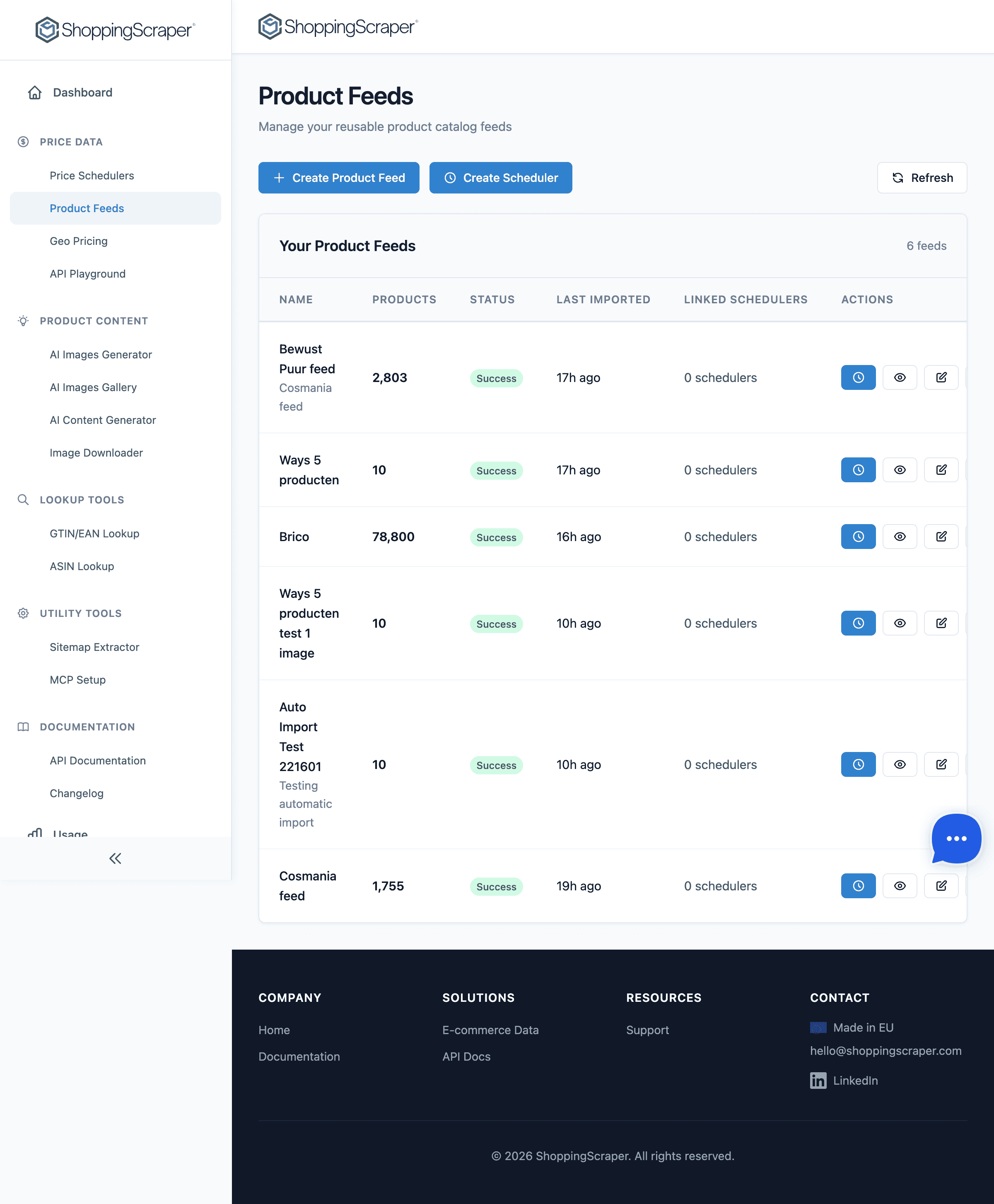
Import and manage product catalogs
Flexible column mapping
Every product feed has a different structure. The column mapping interface lets you tell ShoppingScraper which fields correspond to GTIN, product title, brand, and custom labels. The system validates GTINs on import, pads short codes to 13 digits, and flags entries with missing or invalid identifiers.
- Map any column to GTIN, title, brand, or label
- GTIN validation with automatic zero-padding
- Invalid entries flagged with clear error messages
- Preview mapped data before activating the feed
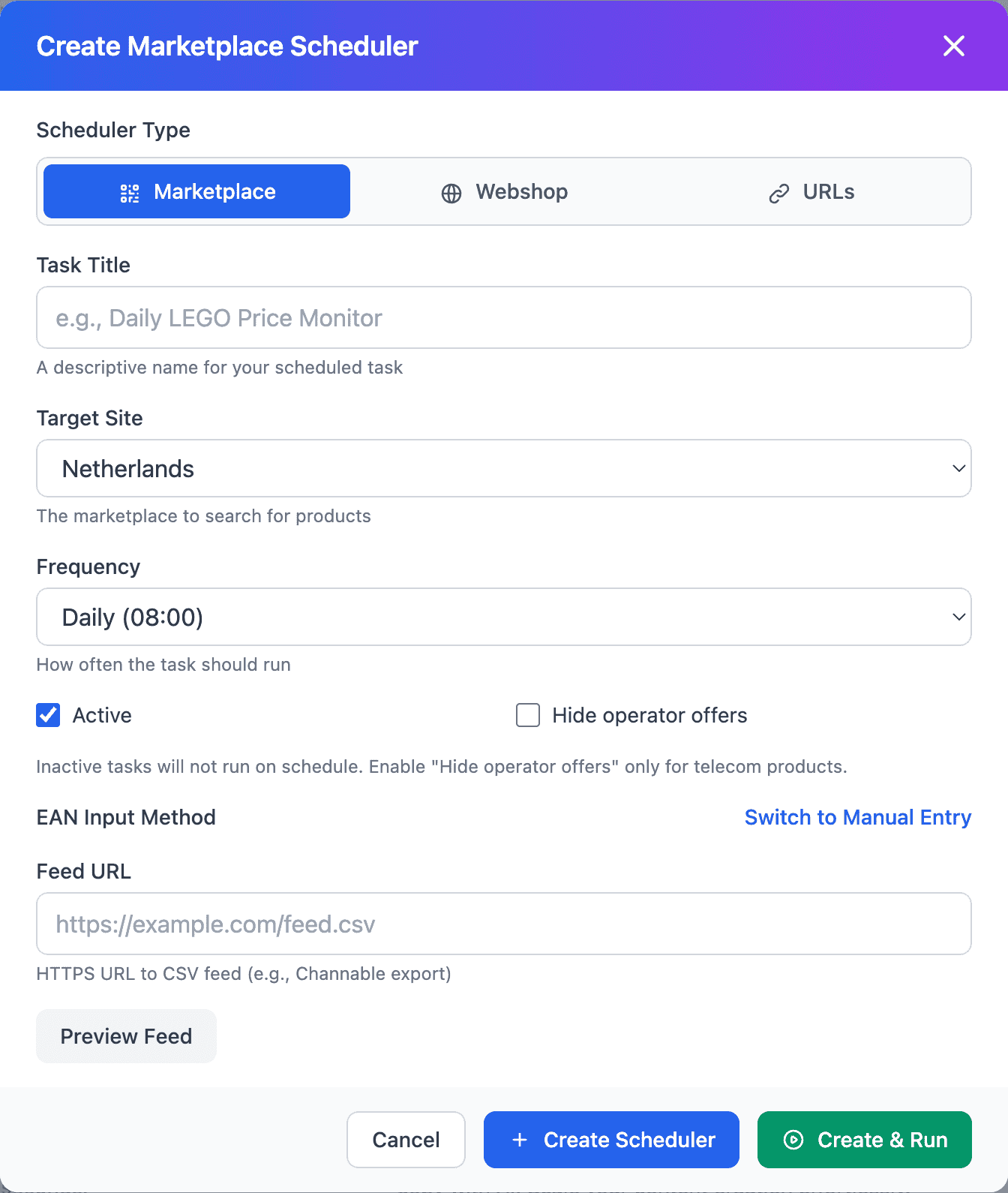
Import product feeds from CSV or XML
Frequently Asked Questions
Which feed formats are supported?+
CSV and XML feeds are supported. The system is compatible with Channable feeds and most custom feed formats used in e-commerce.
Do I need to upload a file?+
No. Product Feeds work with public URLs. The system fetches the feed from your URL and processes it. No file upload is required.
How often does the feed refresh?+
Feeds auto-refresh before every scheduler run. If your scheduler runs daily, the feed is refreshed daily. You can also trigger a manual refresh via the API.
What happens if my feed has invalid GTINs?+
Invalid GTINs are flagged in the import report. Short codes are automatically padded to 13 digits. Non-numerical codes are rejected with a clear error message.
Can I link one feed to multiple schedulers?+
Yes. A single feed can be linked to multiple schedulers, each monitoring the same product catalog across different marketplaces or frequencies.
Is Channable integration automatic?+
Channable feeds are auto-detected. Simply paste your Channable feed URL and the system recognises the format and maps columns automatically.