Sitemap Extractor
Extract product URLs and GTINs from any website's sitemap. Auto-discovers sitemaps, filters results by brand, and creates schedulers directly from the extracted data.

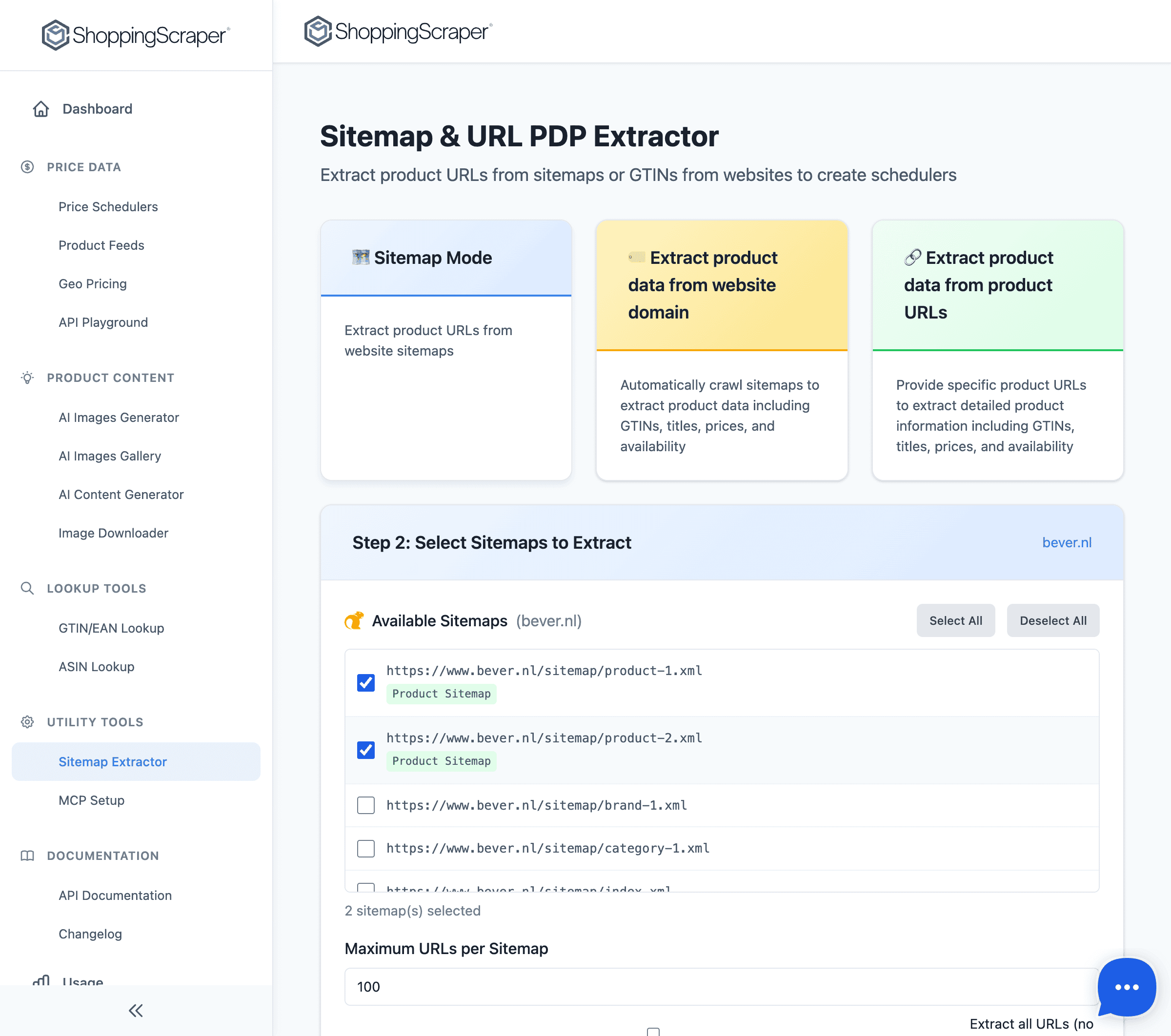
Extract product URLs from any sitemap
Simple to use
Enter a website URL
Paste the website domain or sitemap URL. The tool auto-discovers sitemaps from robots.txt if no direct sitemap URL is provided.
Extract and filter
The extractor parses all sitemap entries, identifies product URLs, and extracts embedded GTINs. Filter results by brand or URL pattern.
Export or create scheduler
Download the extracted URLs as CSV, or create a new price monitoring scheduler directly from the results with one click.
What you get
- Auto-discovers sitemaps from robots.txt
- Parses standard XML sitemaps and sitemap indexes
- Extracts product URLs and embedded GTINs
- Streaming results for large sitemaps with thousands of pages
- Filter results by brand or category
- One-click scheduler creation from extracted URLs
- CSV export of all extracted URLs
- Works on any website with a standard XML sitemap
Map competitor catalogs in minutes
The Sitemap Extractor turns any competitor's sitemap into a structured list of product URLs and GTINs. Enter a domain, and the tool auto-discovers sitemaps from robots.txt, parses nested sitemap indexes, and streams results for sites with thousands of pages. Use the extracted data for competitor catalog analysis, assortment gap identification, or as input for price monitoring schedulers.
- Auto-discovers sitemaps from robots.txt and common sitemap paths
- Handles nested sitemap indexes with thousands of sub-sitemaps
- Streaming parser for large sites — no timeout on big catalogs
- Identifies product pages vs. category/blog pages automatically
Extract product URLs from any sitemap
From sitemap to price monitoring in one click
The real power of the Sitemap Extractor is its integration with the rest of ShoppingScraper. Once you have extracted product URLs from a competitor's sitemap, you can create a new scheduler directly from the results. This means you can go from 'I want to monitor this competitor' to 'all their products are being tracked' in under 5 minutes.
- One-click scheduler creation from extracted URLs
- Filter by brand to monitor only relevant products
- Export to CSV for use in other tools or workflows
- Re-run extraction periodically to catch new products
Frequently Asked Questions
Does it work on any website?+
The Sitemap Extractor works on any website that has a standard XML sitemap. Most e-commerce sites have one. The tool auto-discovers sitemaps from robots.txt and common paths like /sitemap.xml.
Can it handle very large sitemaps?+
Yes. The extractor uses streaming parsing, so it can process sitemaps with hundreds of thousands of URLs without timeouts. Results are displayed as they are parsed.
Does it extract GTINs from the sitemap?+
When GTINs are embedded in sitemap entries (some e-commerce platforms include them), the extractor captures them. Otherwise, it extracts product URLs which can be used for URL-based monitoring.
Can I filter results by brand?+
Yes. After extraction, you can filter results by brand, category, or URL pattern to focus on the products relevant to your monitoring needs.
How do I create a scheduler from the results?+
After extracting URLs, click 'Create Scheduler' to set up a new URL-based monitoring task with the extracted product URLs pre-loaded.
Is the tool free to use?+
The Sitemap Extractor is available to all ShoppingScraper users. Sitemap extraction does not consume API credits. Only scheduler runs consume credits.
Map any competitor's catalog
Extract product URLs from sitemaps and start monitoring prices. No credit card required.