Your pricing intelligence command center
See every product, every price point, every merchant — all in one dashboard. Know exactly where you stand in the market.
50,000+
Unique EANs tracked
95%+
Match rate
10M+
Data points collected
2,500+
Merchants discovered
365
Days of data
Competitor price dashboard — everything in one view
The Pricing Dashboard aggregates your entire product catalog into actionable pricing intelligence. Stats, charts, and competitive rankings — all updated with every scheduler run.
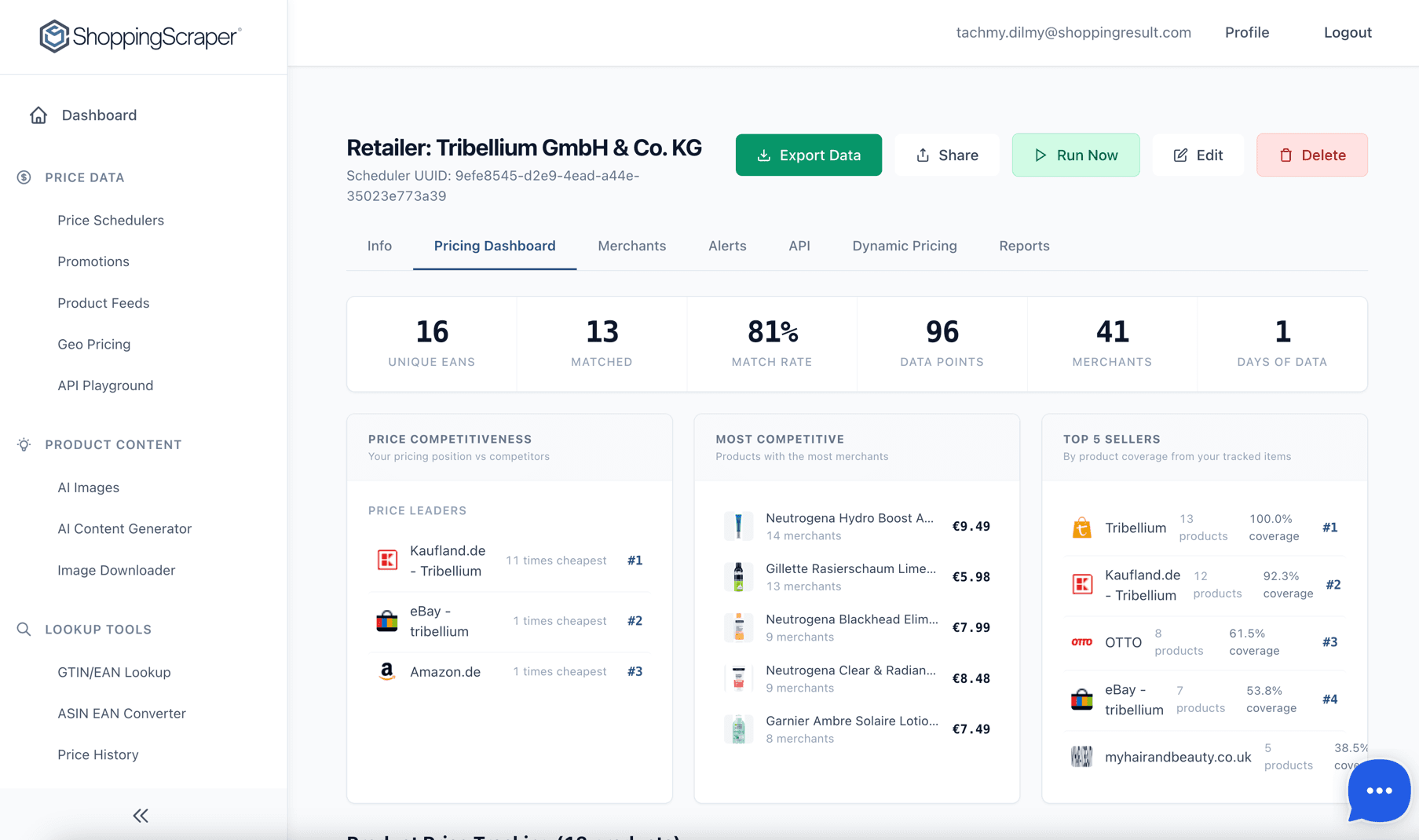
Your pricing command center — match rates, competitiveness, and seller rankings
Built for competitive pricing analysis
Six core capabilities that give you full visibility into your market position, competitor landscape, and pricing opportunities.
Price Competitiveness Analysis
See your position relative to competitors at a glance. Price Leaders are ranked by number of cheapest wins, so you know exactly who dominates on price across your catalog.
Most Competitive Products
Identify products with the most merchants competing on price. Know where the battle for pricing is fiercest and focus your repricing effort where it has the most impact.
Top 5 Sellers by Coverage
See which merchants cover the most of your product catalog, with exact coverage percentages. Understand who your most active competitors really are.
Product Grouping & Variants
Products are automatically grouped by variants like size and color for cleaner analysis. Compare pricing across an entire product family, not just individual SKUs.
Brand & Merchant Filtering
Filter the entire dashboard by brand, merchant, or search by EAN and product name. Slice data however your pricing strategy demands.
Market View vs Webshop View
Toggle between a marketplace-wide view showing all sellers and a single webshop analysis focused on one merchant. Two perspectives on the same data, one click apart.
Real-time pricing analytics at a glance
Price position distribution, cheapest vs. expensive breakdown, and trend charts update automatically with each data run.
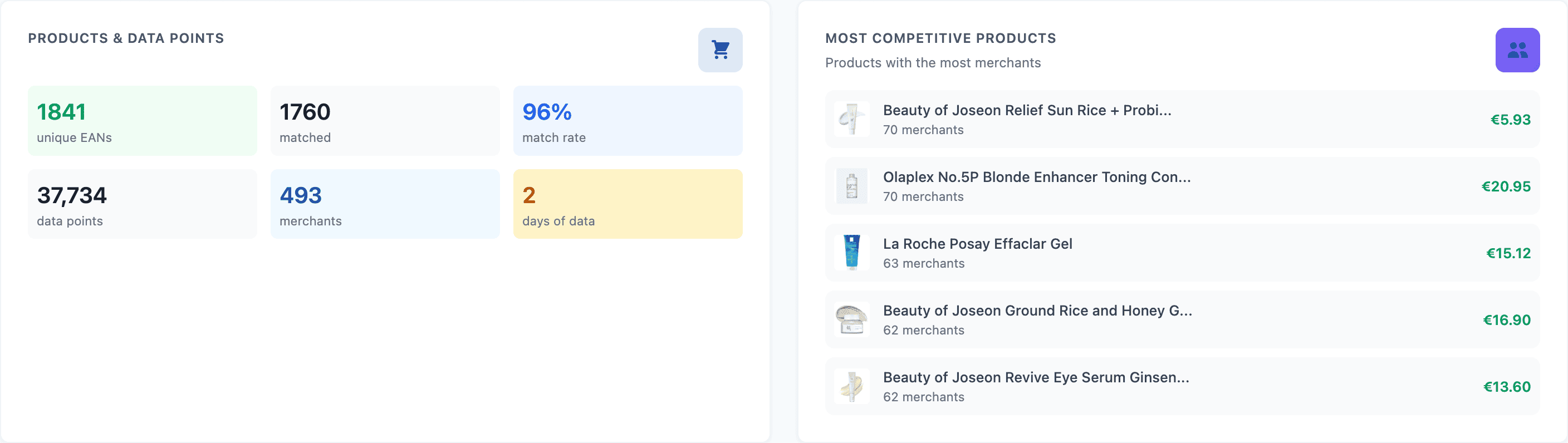
Live pricing statistics at a glance
Track price leaders and biggest movers
The Top 5 widgets surface the merchants winning on price and the products with the biggest recent price changes — no manual analysis required.
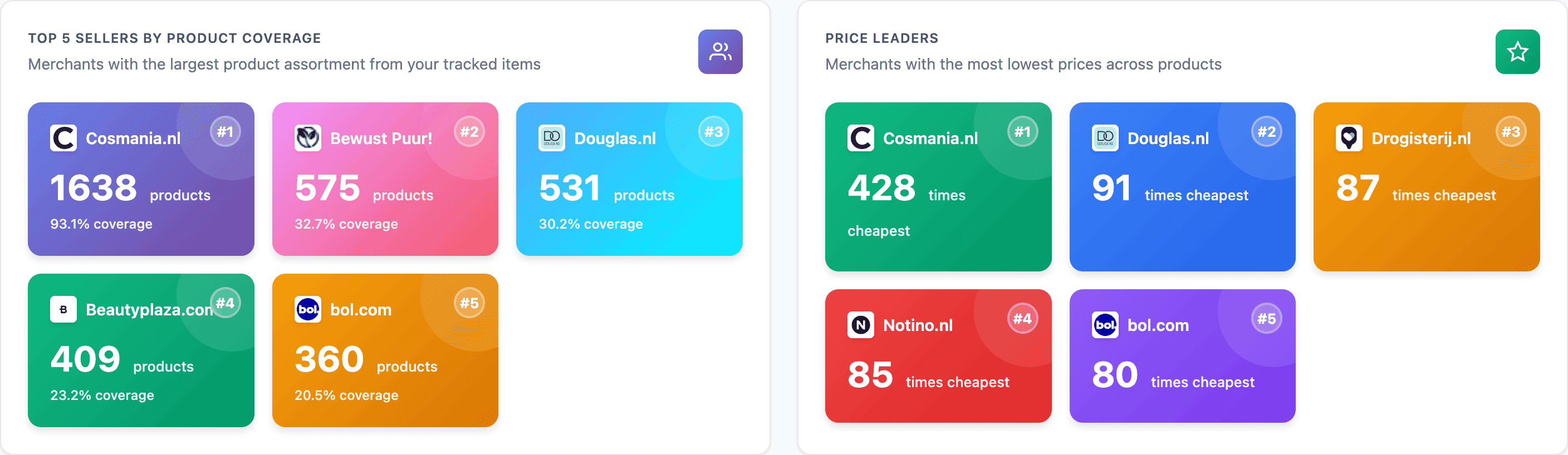
Track price leaders and biggest movers
Deep-dive into any product
Click into any EAN and get the full picture: product details, competitive positioning, seller comparison, and historical pricing trends.
Product images & manufacturer info
See high-resolution product images alongside manufacturer details, EAN code, and product category information.
Cheapest price & average price
Instantly see the lowest available price and market average. Know exactly where the floor is and how far from it you stand.
Price Position Matrix
A color-coded grid showing each seller's position: green for Price Leader, blue for Competitive, red for Overpriced. Spot your standing in one glance.
All Sellers table
Every seller listed with daily prices, shipping costs, stock status, and price changes over time. Complete transparency on who is selling what, at what price.
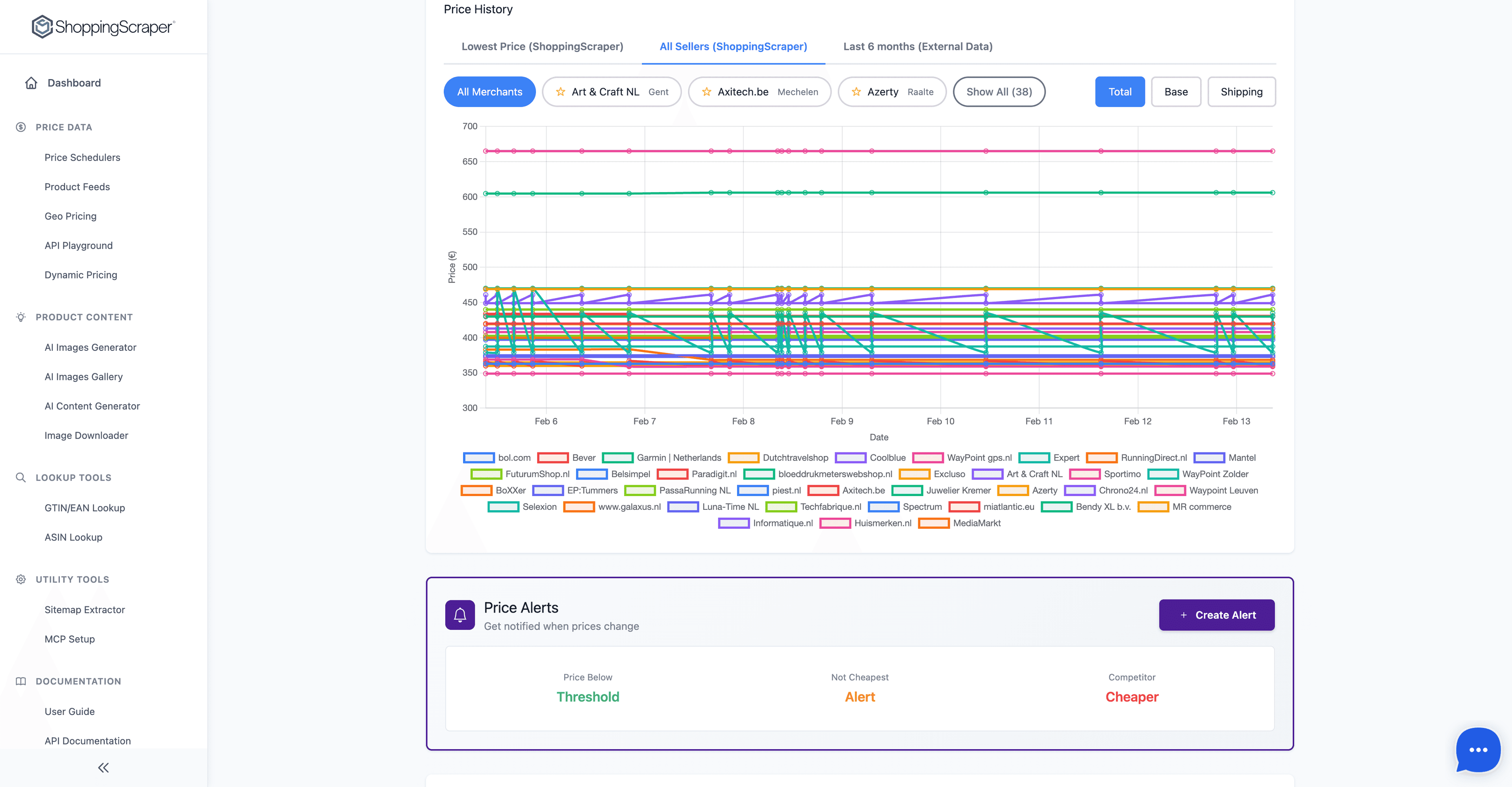
Price History charts
Visualize the Lowest Price trend, All Sellers comparison, and Last 6 Months of external data. Understand pricing dynamics over time, not just today's snapshot.
Product detail and Price Position Matrix
Product images, manufacturer info, cheapest and average price, plus the color-coded Price Position Matrix showing exactly where each seller stands.
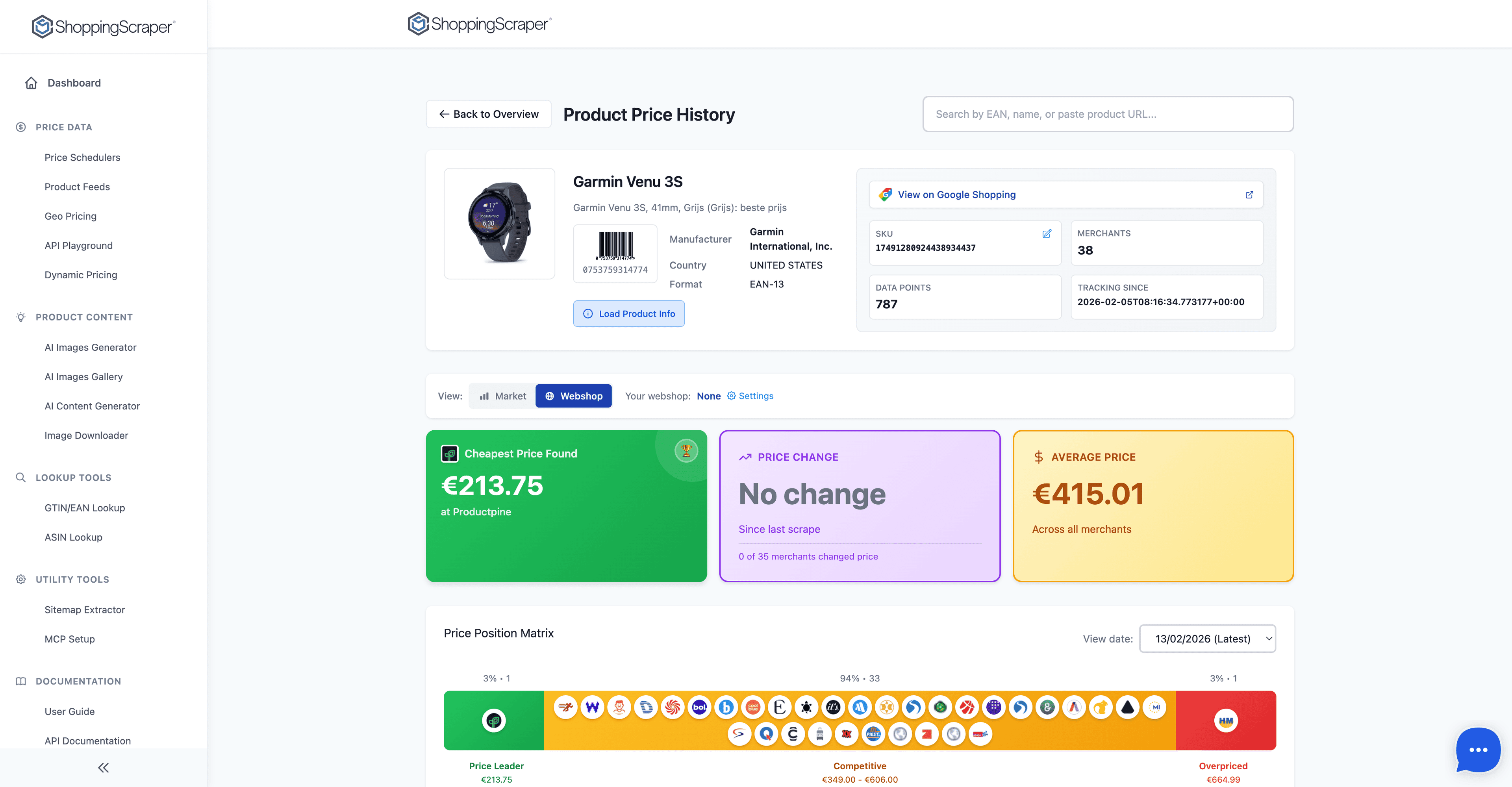
Full product price intelligence per EAN
All sellers, every data point
The All Sellers table lists every merchant with daily prices, shipping costs, stock status, and price changes. Complete transparency on who is selling what.
Compare all seller offers for any product
Export your data in any format
Download full reports or cheapest-only exports. Filter first, then export exactly the data slice you need.
CSV
Comma-separated values for spreadsheet analysis. Import directly into Excel, Google Sheets, or any BI tool.
XLSX
Native Excel format with formatted columns and headers. Ready for pivot tables and conditional formatting.
JSON
Structured JSON for programmatic access. Feed data into your repricing engine, data warehouse, or custom application.
Who uses the Pricing Dashboard
Pricing teams
Monitor competitive position daily. Identify pricing opportunities and react to competitor changes before they impact your sales.
Category managers
Analyze pricing across product families. Use variant grouping and brand filtering to understand competitive dynamics at the category level.
Brand managers
Track reseller pricing across your distribution network. Spot MAP violations and identify unauthorized sellers through the All Sellers table.
Agencies
Deliver competitive intelligence dashboards to clients. Use export formats to feed data into Power BI, Looker, or custom reporting tools.
Frequently Asked Questions
How often is pricing data refreshed in the dashboard?+
Data refreshes match your scheduler frequency. If your scheduler runs daily, the dashboard reflects the latest run's data within minutes of completion. For higher-frequency needs, Enterprise plans support multiple daily runs.
Can I compare my prices against specific competitors only?+
Yes. The Brand & Merchant Filtering feature lets you narrow the entire dashboard to specific merchants. You can also use the Webshop View to analyze a single competitor's pricing across your full product catalog.
What does the Price Position Matrix show?+
The Price Position Matrix is a color-coded grid on each product's detail page. It plots every seller against price ranges: green indicates the Price Leader (cheapest), blue means Competitive (within a close range), and red flags Overpriced sellers. It gives you an instant visual of where each merchant stands.
How far back does price history go?+
The dashboard stores up to 365 days of pricing data. The EAN detail view includes a Last 6 Months chart for external price trends, a Lowest Price trend line, and an All Sellers comparison chart that covers the full data retention period.
Can I export data for specific products or the entire catalog?+
Both. You can export filtered views (by brand, merchant, or search results) or download the full catalog. Exports are available in CSV, XLSX, and JSON formats. A cheapest-only export is also available if you only need the lowest price per product.
See your market position in minutes
100 free API calls. No credit card required. Set up your first pricing dashboard today.